
More runout, tighter rotation, or unexpected heat after installation does not always mean a faulty bearing. Mounting faces, fits, bolt clamping, and lubrication should be checked first.
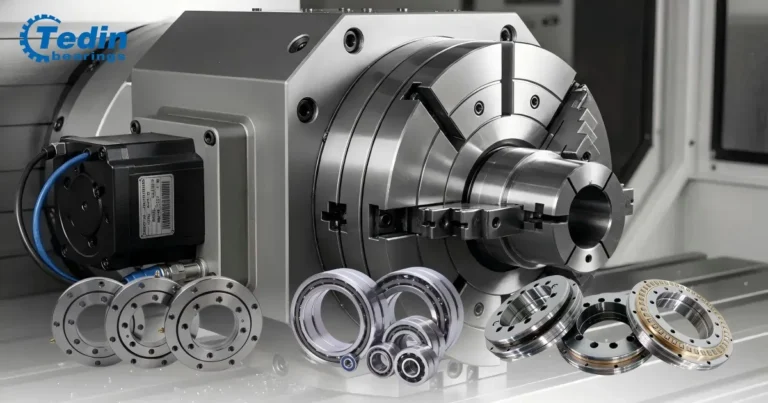
This rotary table bearing installation guide covers YRT and crossed roller designs. For an overview of bearing arrangements, see rotary table bearings. Use the exact bearing’s installation instructions for tolerances, bolt torque, and lubrication quantities.
1. Check the Bearing and Mating Parts
Confirm the complete bearing designation, including suffixes. Matching dimensions alone do not confirm the same preload, accuracy, or mounting requirements.
- Mounting faces: remove chips, residue, and burrs.
- Shaft and housing: measure locating diameters and check geometry.
- Shoulders: check that fillets and adjacent parts allow full seating.
- Bolts: confirm grade, length, and thread engagement; check for bottoming out.
- Lubrication ports: keep passages clean and accessible.
Identify retaining or transport screws from the bearing drawing before loosening or removing them.
2. Verify Mounting Faces and Fits
Flatness and Support
An uneven mounting face can deform a bearing ring when the bolts are tightened. Check face flatness, shoulder squareness, and locating-surface geometry against the assembly drawing.
The support must also be rigid enough. A thin flange may measure correctly before assembly but deflect under clamping or operating loads.
There is no single mounting-face tolerance for all rotary table bearings. Follow the limits specified for the bearing and assembly.
Shaft and Housing Fits
A fit that is too tight can deform a ring; excessive clearance can allow movement or compromise location. Measure the mating parts before installation.
Do not use mounting bolts to force the bearing into place. If it will not seat squarely, check dimensions, alignment, and corner clearance.
3. Seat the Bearing and Tighten the Bolts
Keep the bearing square during installation. Apply force to the ring being fitted, not through the rolling elements. Avoid hammering or uneven force.
Confirm full seating, then follow the specified bolt sequence, tightening stages, and torque. Use the prescribed thread condition and lubrication.
Where the assembly procedure permits, compare rotational resistance before and after tightening. A clear increase is a reason to recheck seating, fits, mounting faces, and clamping.
YRT Bearing Installation
For YRT turntable bearings, check ring support, retaining-screw instructions, lubrication-port positions, and the tightening procedure for the exact series.
Crossed Roller Bearing Mounting
Crossed roller bearings use different ring and retention designs. Some have mounting holes; others need separate retaining parts. Follow the specified support and clamping method rather than assuming the YRT procedure applies.
4. Confirm Lubrication Before Running
Check whether the bearing is supplied lubricated and whether additional lubricant is required. Confirm:
- Specified grease or oil and compatibility with existing lubricant.
- Required quantity and lubrication interval.
- Clear passages and delivery to the intended bearing sections.
Do not add grease simply to cure heat or noise. Excess grease can increase resistance and temperature; too little or poor distribution can leave bearing sections inadequately lubricated.
5. Check Rotation, Runout, and Temperature
Rotation
Check for roughness, tight spots, or changes during assembly. Preload, seals, and lubricant create resistance, so free spinning by hand is not a universal acceptance test.
Where permitted, distinguish bearing resistance from the effects of the drive, brake, and other connected parts.
Runout
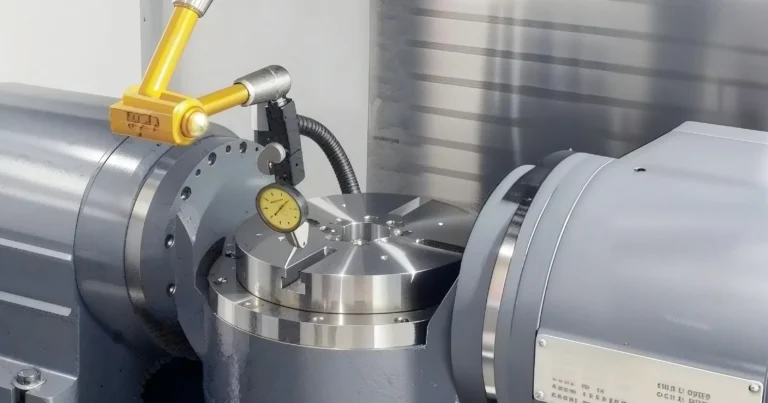
Measure axial and radial runout with a stable indicator setup. Record the reference surface, contact direction, and assembly condition. For axial face runout, record the measurement radius too.
Table runout includes errors from the bearing, mating parts, and assembly. It is not a direct measurement of bearing accuracy alone. Read Rotary Table Runout vs. Indexing Accuracy for the difference between runout and angular positioning performance.
Temperature
Follow the equipment’s commissioning procedure. Monitor temperature, noise, and vibration, and record speed, load, and ambient temperature. Compare readings under similar conditions and use the applicable equipment and bearing limits.
6. Common Installation Problems
| Symptom | Check First |
|---|---|
| Tight after bolt tightening | Seating · Fits · Mounting faces · Bolt sequence |
| Increased axial runout | Cleanliness · Face flatness · Table distortion |
| High radial runout | Locating surfaces · Alignment |
| Unexpected heat | Lubrication · Seal drag · Mounting · Speed/load |
| Uneven rotation | Interference · Deformation · Contamination |
These are initial checks, not confirmed causes. Note when the symptom first appeared: during seating, bolt tightening, drive connection, or operation.
Frequently Asked Questions
Can incorrect installation cause rotary table runout?
Yes. Debris between faces, locating errors, and ring deformation can increase runout. Check mounting interfaces and the measurement setup before attributing the result to the bearing.
Why does a rotary table bearing become tight after mounting?
Possible causes include an unsuitable fit, incomplete seating, uneven clamping, or interference. Compare resistance at each assembly stage to find when it changes.
What bolt torque should be used for a YRT bearing?
Use the value specified for the exact bearing and assembly, with the required fasteners, thread condition, and tightening sequence. Bearing dimensions alone are not enough to determine torque.
Need Help with an Installation Problem?
Use the inquiry form on this page to send TEDIN the complete bearing model, assembly drawing, operating conditions, and when the problem appeared. Include runout or temperature readings and their measurement conditions where available.