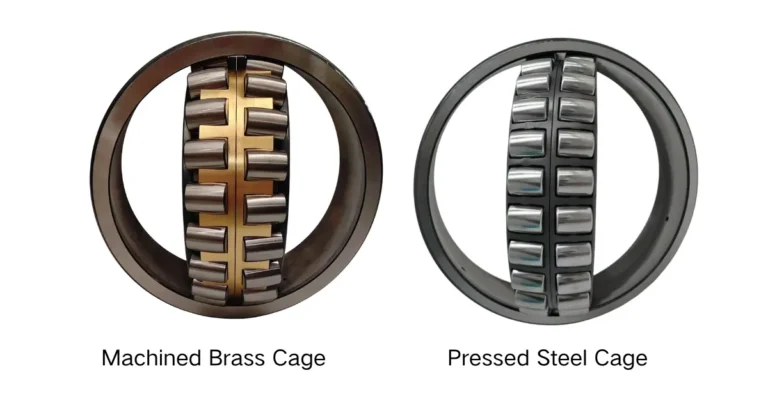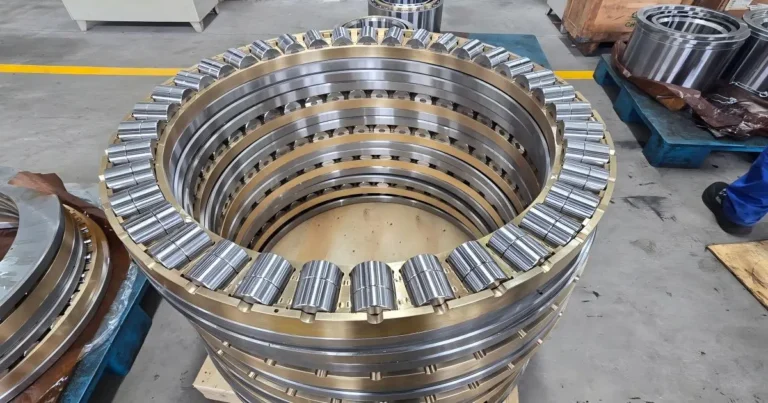
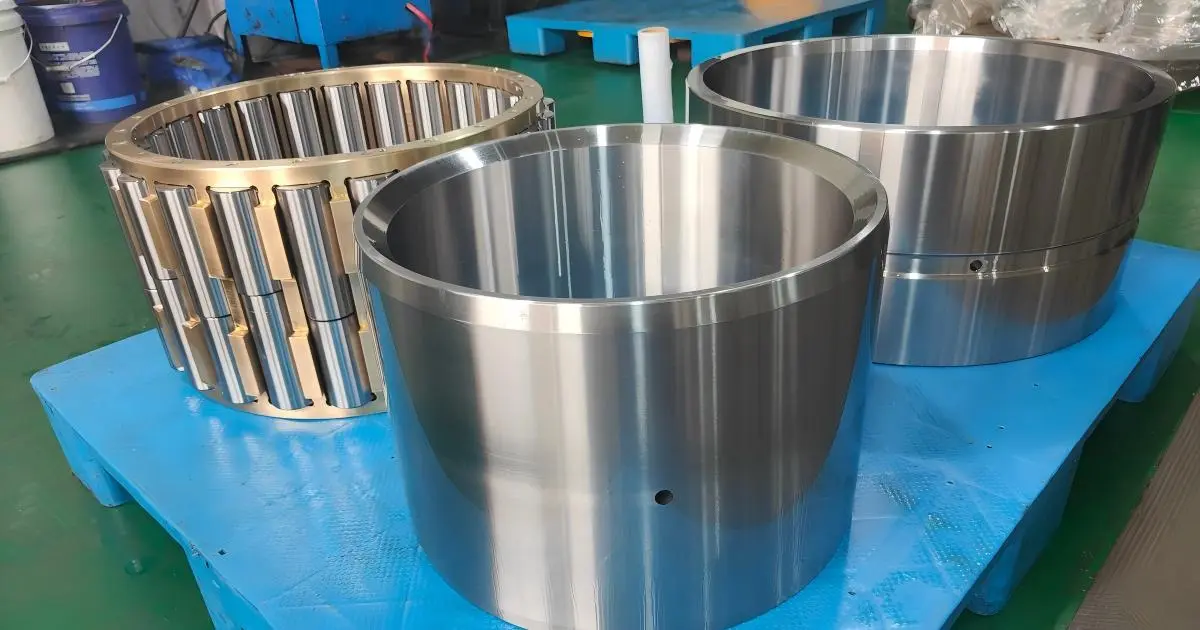
When checking cone crusher bearing part numbers, first establish where each number came from. A reference in the crusher parts manual may differ from the designation marked on the removed bearing. An old purchase order may use another reference again.
Record each number with its source rather than choosing one and discarding the others. This makes it easier to investigate differences and check what needs to be supplied.
The steps below cover rolling bearings used in cone crushers. Bushings and plain bearings require different identification checks.
Crusher Model, OEM Part Number and Bearing Marking
These references are related, but they are not the same thing. The crusher model identifies the equipment family. The OEM part number points to an item in the equipment documentation. A marking on the bearing may identify the complete bearing, an individual component or a production batch.
| Reference | What It Tells You | What to Keep |
|---|---|---|
| Crusher model and serial number | Which equipment family and individual machine you are checking | Full model, serial number and a readable nameplate photo |
| OEM part number | Which item is listed in the crusher parts manual or drawing | Complete number, item description, drawing item and document revision where available |
| Bearing marking | A bearing designation, component number or batch code | Exact characters, suffixes, manufacturer marks and photos showing which component carries them |
A nameplate photo helps avoid model or serial-number transcription errors. A copy of the relevant parts-list page adds context that a typed part number alone cannot provide.
For the removed bearing, photograph all visible markings. If you are unsure which is the ordering designation, leave the codes separate and let the reviewer see the original images.
What to Check Before Using a Part Number
A clear number is a useful starting point, but it still needs to be matched to the correct position and supply scope.
- Bearing position: find the item in the equipment drawing. A description such as “main bearing” may not distinguish between several parts in the assembly.
- Complete bearing or component: check whether the reference covers the full bearing, a separate ring or washer, or a larger assembly.
- Full designation: include letters, separators and suffixes. Their meaning varies by manufacturer.
- Machine serial number: if the parts list specifies serial ranges or revisions, check that it covers the machine being repaired.
- Repair history: note any known changes to the bearing arrangement or surrounding components.
If the position itself is uncertain, consult the equipment drawing first. The guide to radial and thrust bearing positions explains the basic difference between these bearing roles.
The part references on the cone crusher bearings page can help organize an initial enquiry. Being listed in the same group does not establish that two numbers are interchangeable.
How to Photograph Bearing Markings
A close-up should show the complete marking, while an overall view should show which part it belongs to. Send both. A sharp crop of a few characters can be difficult to interpret without the surrounding component.
- Photograph the nameplate. Make the model and serial number readable.
- Record the installation position. During safely isolated maintenance, photograph the location and adjacent parts before removal, where accessible.
- Show the removed bearing. Take overall views of both faces. For separable bearings, photograph the components together and individually.
- Capture every marked surface. Include manufacturer marks, the full designation and any suffixes. Use overlapping close-ups if the text extends around the ring.
- Show distinguishing features. Include visible lubrication holes, grooves or stepped surfaces that may help identify the part.
For both radial and thrust bearings, keep enough of the surrounding surface in the close-up to show where the marking appears. Marking locations vary with the bearing design and manufacturer.
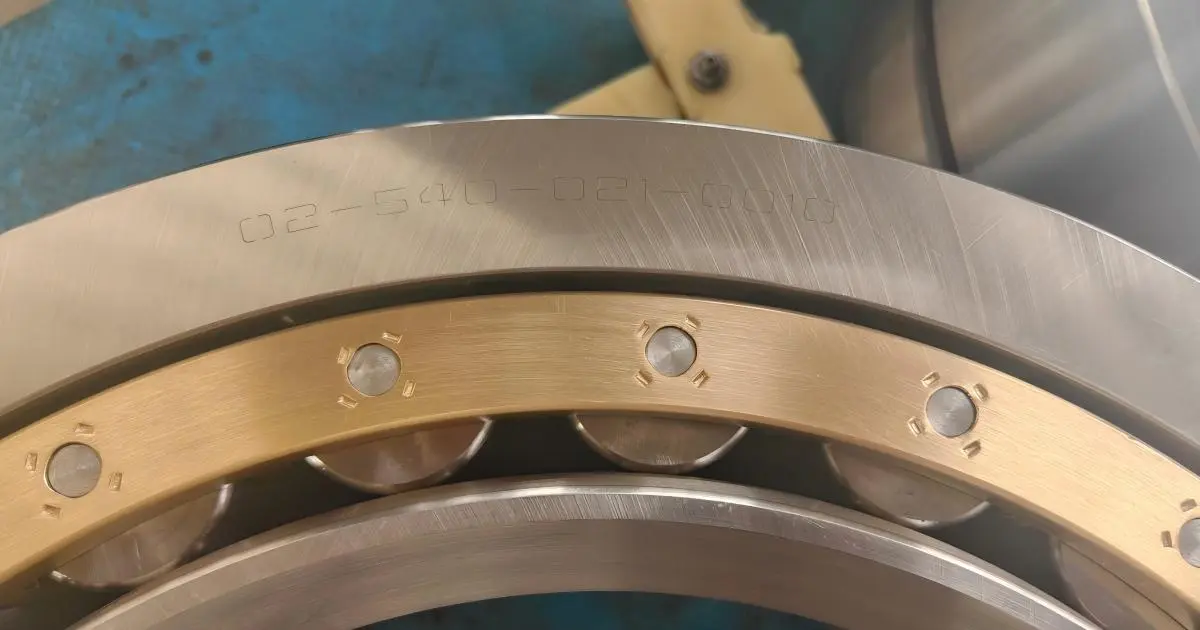
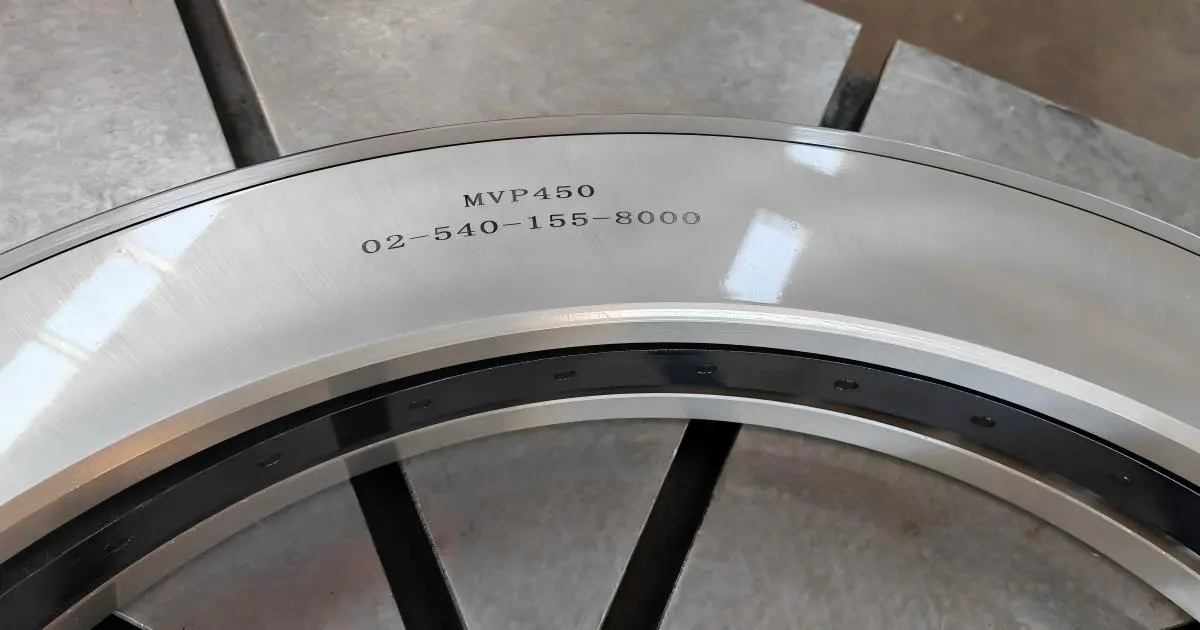
Remove loose dirt gently without damaging the surface. If the engraving is faint, try light from a shallow angle and check the image at full size before finishing the inspection. Do not grind or polish the surface to expose the number.
Send the original image files where possible. Small screenshots and compressed messaging images can make a readable suffix disappear.
When a Character Cannot Be Read
Watch for characters such as “0” and “O,” or “1” and “I.” If a character remains unclear, mark it as uncertain in your notes rather than selecting the most likely one.
Keep the observed marking and any proposed identification in separate fields. This preserves the original evidence if the proposal needs to be revised.
Which Dimensions Are Useful?
Basic dimensions can narrow down an incomplete reference or expose a mismatch. The measurement points matter as much as the values: label the component and show where the tool was placed.
- Complete radial bearing: bore diameter, outside diameter and overall width.
- Separable thrust bearing: inside diameter, outside diameter and thickness of each ring or washer, where practical.
- Overall thrust bearing height: if measured, state whether the bearing was assembled and how the measurement was taken.
- Additional features: dimensions of grooves, holes or stepped surfaces if requested during the review.
Include the units and measuring tool. If a reading is approximate, say so. A labelled photo or simple sketch is usually clearer than a list of unlabelled dimensions.
Flag any wear, fracture or distortion affecting the measurement. Keep shaft and housing readings separate from bearing readings, and do not treat dimensions from a worn part as its original nominal size.
Overall dimensions are identification checks, not proof of replacement suitability. They do not establish internal geometry, tolerances or clearance requirements.
Put the Numbers, Photos and Measurements in One Record
Create a separate record for each bearing position. Use the same position label in the notes, on the removed components and in the photo filenames. Where available, use the name and item number from the equipment drawing.
| Record Field | Information to Include |
|---|---|
| Equipment | Manufacturer, full model, serial number and nameplate photo |
| Bearing position | Assembly location, drawing item and installation photo where available |
| References | OEM part number, removed-bearing markings and earlier purchase references, each with its source |
| Photos | Overall views, marking close-ups, separate components and relevant features |
| Measurements | Values, units, measurement points, tool and any damage affecting the readings |
| Request and open questions | Complete bearing or specified components, quantity, unreadable characters and conflicting information |
For example, filenames such as Position-A_Overall-01.jpg and Position-A_Marking-01.jpg keep related images together. If several bearings have been removed, avoid sending their close-ups in one unlabelled folder.
Before sending the record, check that each typed reference has a supporting source: a marking photo, a parts-list page or a purchase document. Missing information is easier to address when it is clearly identified.
Common Questions About Bearing Part Numbers
Can a bearing be identified from photos alone?
Sometimes a photo reveals a complete, readable designation. Even then, equipment details or technical documents may be needed to check that it is the correct bearing for the position. When the marking is incomplete, dimensions or a sample may also be required.
Can different part numbers refer to a suitable replacement?
Yes, different numbering systems or documented part-number revisions may exist. A proposed replacement still needs technical evidence, such as relevant drawings or manufacturer confirmation, to establish that it meets the required specification.
What if the parts list and the removed bearing do not match?
Submit both references with their sources. Check that the parts list covers the machine’s serial number and review any available repair history. The removed bearing shows what was installed, but not necessarily what should have been installed.
Need Help Checking a Bearing Reference?
Send TEDIN the crusher model, bearing position, reference numbers and labelled photos. Add available dimensions or drawings, and identify anything you could not read or confirm.
Submit the record through the cone crusher bearing enquiry page. For a related project, see the Cedarapids RC54 bearing replacement case study.